How Batch Text Replace Works
Batch Text Replace lets you find specific words or characters in multiple filenames and replace them with new text at once.
You can also remove unwanted text, control how matches are replaced, and keep file extensions unchanged during the process.
Find & Replace
Enter the text you want to find, then specify the replacement text.
Leave Replace With empty if you simply want to remove the matched text from filenames.
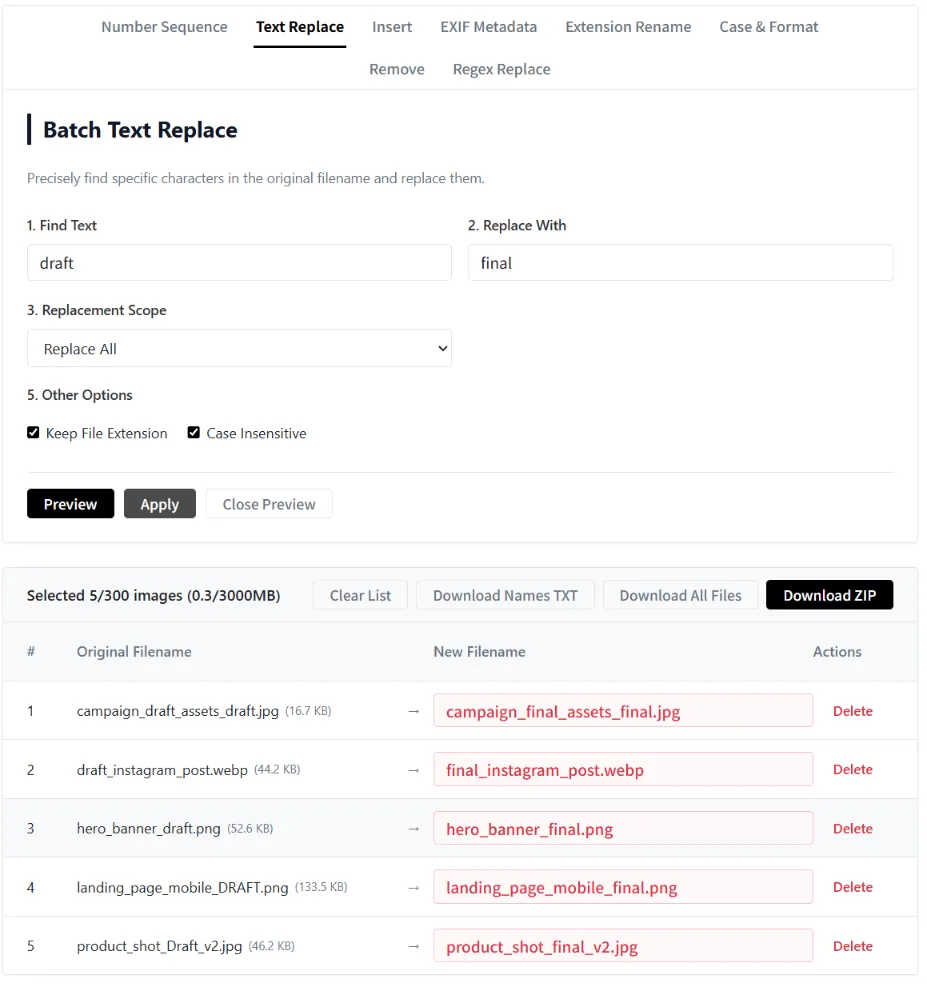
Batch Text Replace Images_Find Text
| Original Filename | Renamed Filename |
|---|---|
hero_banner_draft.png |
hero_banner_final.png |
product_shot_Draft_v2.jpg |
product_shot_final_v2.jpg |
draft_instagram_post.webp |
final_instagram_post.webp |
landing_page_mobile_DRAFT.png |
landing_page_mobile_final.png |
campaign_draft_assets_draft.jpg |
campaign_final_assets_final.jpg |
Replacement Scope
Replace All
Replace every occurrence of the matched text.
First Match Only
Replace only the first occurrence in each filename.
Last Match Only
Replace only the last occurrence.
Specified Character Range
Replace matches only within a selected character range.
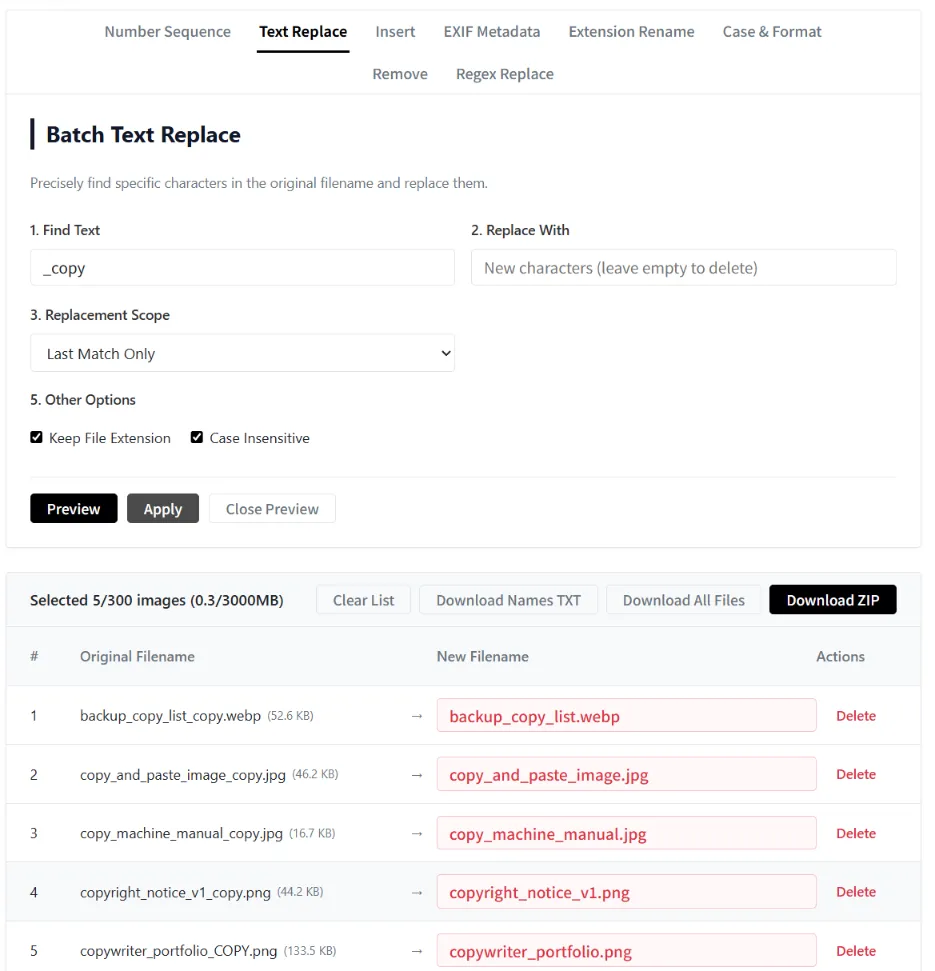
Batch Text Replace Images_Last Match Only
| Original Filename | Renamed Filename |
|---|---|
copy_machine_manual_copy.jpg |
copy_machine_manual.jpg |
copyright_notice_v1_copy.png |
copyright_notice_v1.png |
backup_copy_list_copy.webp |
backup_copy_list.webp |
copywriter_portfolio_COPY.png |
copywriter_portfolio.png |
copy_and_paste_image_copy.jpg |
copy_and_paste_image.jpg |
Other Options
Keep File Extension
Rename only the filename while keeping the original file extension unchanged.
Case Insensitive
Match uppercase and lowercase letters as the same text.